

Runs
A run is one execution of a script’s published version. A run can start from the app, the API, the CLI, an agent, a schedule or a trigger. However it started, Reminix records its inputs, the version it used, its environment, who started it and where it came from. It also records how the run ended, its output or error, and its log. Reminix keeps the run’s record. It keeps the log and saved files for as long as your plan allows (see How long Reminix keeps logs).
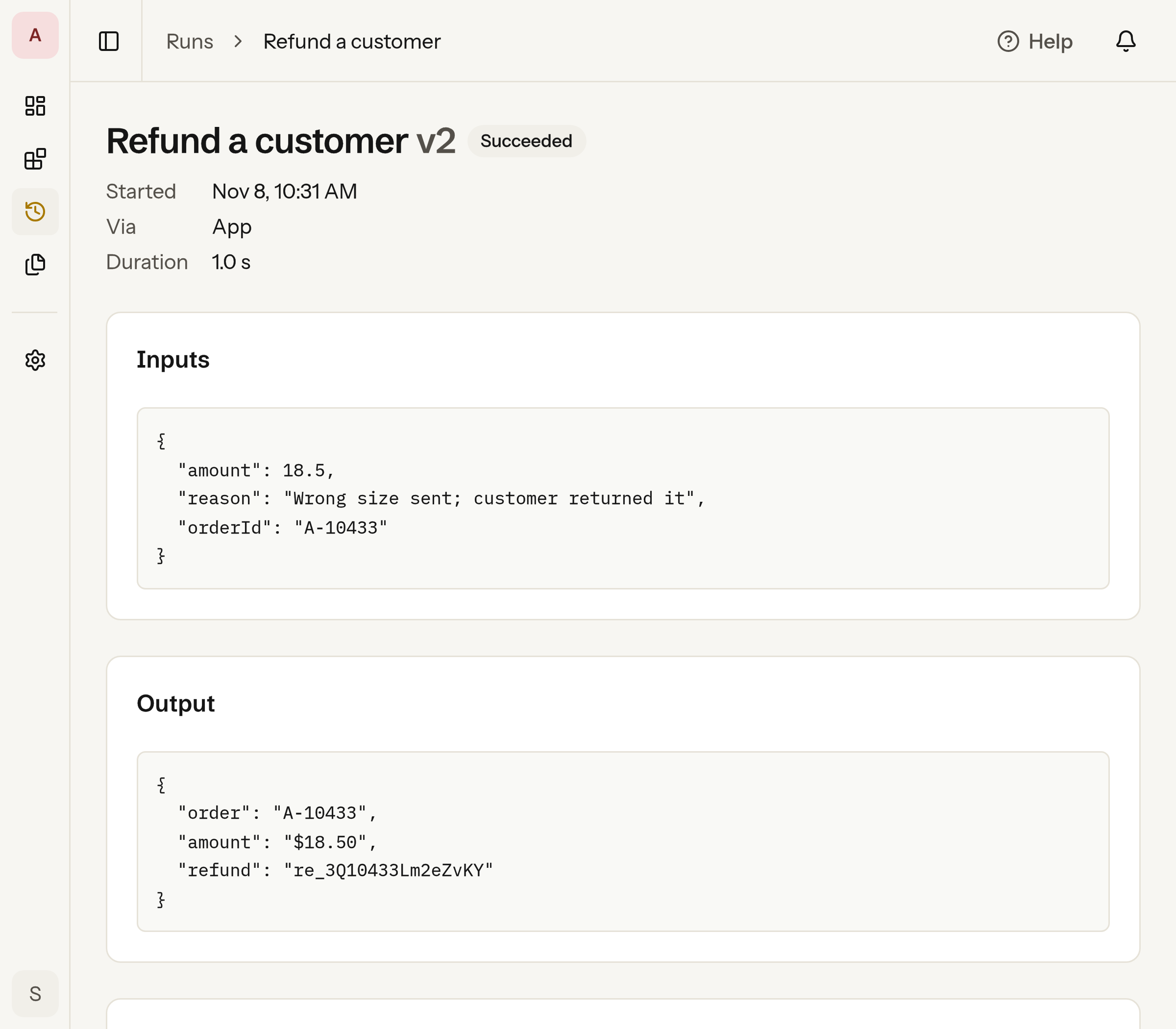
Running a script
Section titled “Running a script”In the app, open the script, fill in its form and click Run.
Agents connected through the MCP server see a tool for
each published script, named after the script, such as
unlock_account. From your
code or a terminal, for example to unlock an account from your own
support tool:
import { createClient } from "@reminix/sdk";
const reminix = createClient(); // uses the REMINIX_API_KEY environment variable
const run = await reminix.run("unlock-account", {  email: "jane@example.com",});console.log(run.output);
from reminix import Reminix
reminix = Reminix() # uses the REMINIX_API_KEY environment variable
run = reminix.run("unlock-account", {"email": "jane@example.com"})print(run["output"])reminix run unlock-account --input '{"email":"jane@example.com"}'curl -X POST https://api.reminix.com/v1/scripts/unlock-account/runs \ -H "Authorization: Bearer $REMINIX_API_KEY" \ -H "Content-Type: application/json" \ -d '{ "inputs": { "email": "jane@example.com" } }'A key or token needs runs:write to start runs. The response is the
finished run:
{ "id": "run_7b1a…", "script": { "id": "scr_3f0c…", "slug": "unlock-account" }, "version": 3, "status": "succeeded", "inputs": { "email": "jane@example.com" }, "output": { "unlocked": "jane@example.com", "status": "active" }, "error": null, "startedBy": { "userId": null, "name": null, "credential": { "type": "api_key", "name": "support-bot" } }, "via": "api", "environment": "production", "logLines": 1, "durationMs": 42}If your workspace has more than one environment, you can choose which one a run uses:
- the Environment field in the app
--environmentin the CLIenvironmentwhen you create the client
If you don’t choose one, the run uses the workspace’s default. See Environments.
If the command exits with a code other than 0, the run ends with
"status": "failed". Its error holds the last lines the script wrote
to standard error. The HTTP request still succeeds, because the run
happened. In TypeScript, reminix.run(...) throws a RunError that
holds the run, and in Python it raises one. reminix run exits with 1.
The run’s log is on its page in the app, and reminix runs log <run-id>
prints it. See Get a run’s log.
Reminix checks inputs first
Section titled “Reminix checks inputs first”The inputs must match the version’s inputSchema. If they don’t, the
run doesn’t start, and you get 400 invalid_request. The message names
up to three problems, and details has one entry per problem:
{ "error": { "code": "invalid_request", "message": "The inputs do not match the script's input schema: email: Instance type \"number\" is invalid. Expected \"string\".", "details": [ { "path": "/email", "message": "Instance type \"number\" is invalid. Expected \"string\"." } ] }}Where the code runs
Section titled “Where the code runs”Each run gets its own fresh machine with the version’s files and its
inputs. It has no access to other runs, other scripts or your
workspace. It has no network access unless its version declares
hosts. Even then, it can reach only those hosts, and only over HTTPS.
Reminix adds the run’s secrets to those requests (see
Scripts → Calling APIs). Every request
appears in the run’s log. The log holds up to 1,000 lines in total,
including what the script writes there.
If the run prints a secret value it had access to, Reminix replaces it
with [secret] in the output, the log and the error before keeping or
showing them. Reminix also catches the value when it’s base64- or
URL-encoded.
A run can take up to 30 seconds. On Pro and Business, a script can ask for longer. See Long runs.
If a run can’t use one of its secrets, it fails before it starts and says why. That happens when:
- the secret has no value in the run’s environment
- the secret’s value isn’t allowed to go to that host
- the version reads the secret as an environment variable, and the secret doesn’t allow that
History and usage
Section titled “History and usage”The Runs page in the app lists every run, newest first. A script’s
page shows that script’s runs. In the CLI, use
reminix runs list --script <slug>. In your code, use
reminix.runs.list({ script }). See
List runs.
Every run counts toward your plan’s runs for the month, however it
started. Free includes 500 runs a month, Pro 5,000 and Business
50,000. Reminix counts a run when it starts, and never counts a run it
refuses. Once you reach the limit, Reminix refuses new runs with
402 plan_limit_reached until the month resets or you upgrade. See
Plan limits.
Reminix sends webhook events for runs:
run.succeeded, run.failed and run.cancelled. Each event includes
the run’s environment. Reminix also sends script.published when
someone publishes a version. A run ends up cancelled when a person
cancels it, denies its approval, or lets the approval expire. The
run.cancelled event says why in error. Test runs send no events.
When a run fails
Section titled “When a run fails”When a run fails, the person who started it gets a notification in the app and an email. A run no person started, such as a scheduled run or an API key’s, notifies the script’s owner. Test runs notify no one. To change how you hear about failed runs, or to turn on push, open Account › Notifications › Settings in the app.